Start from anything.
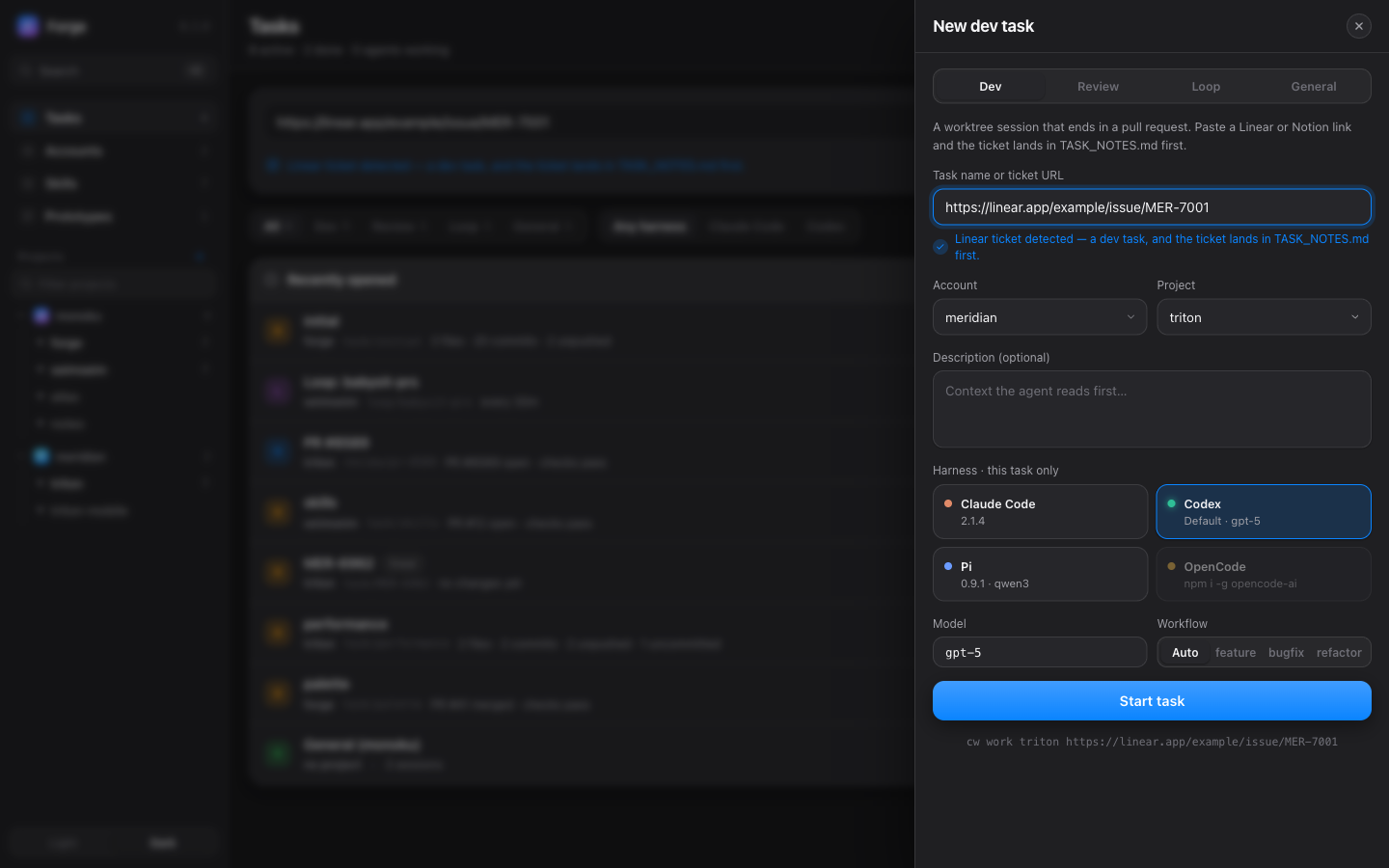
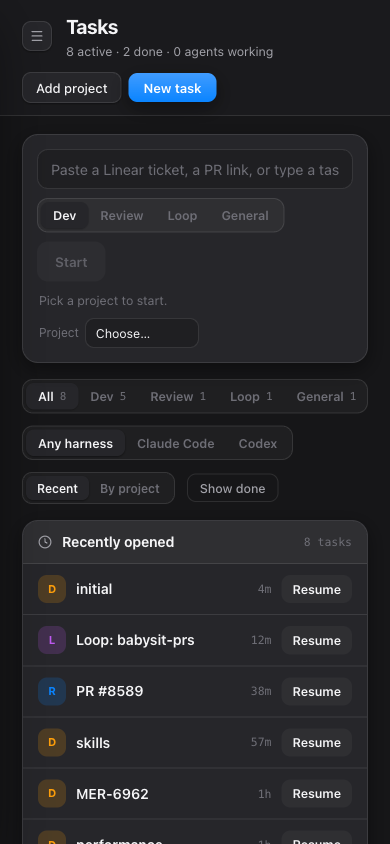
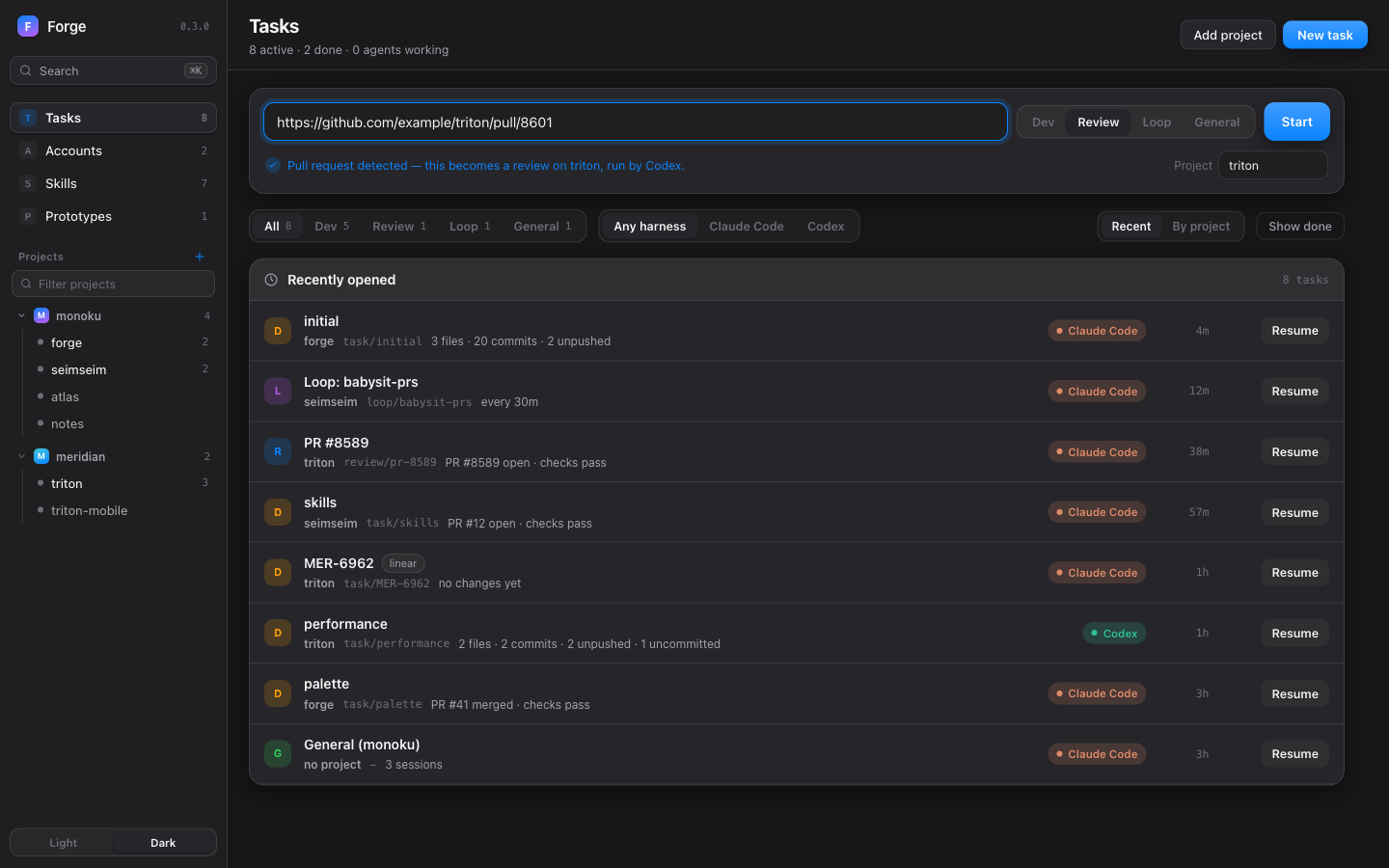
Paste a pull request, a Linear or Notion link, or type a name. Forge picks review or dev and starts it on the right project and harness.
open source · MIT · runs on your machine
A visual dashboard for your coding agents. Start a task from a pull request or a ticket, watch its terminal, know when it needs you, and see what it costs, on Claude Code, Codex, Pi or OpenCode.
live demo — type or paste anything
npx forge-cw
Five agents. Five terminals. Three accounts. Which one is still running, and what did it push?
Forge puts them in one place.
Paste a pull request, a Linear or Notion link, or type a name. Forge picks review or dev and starts it on the right project and harness.
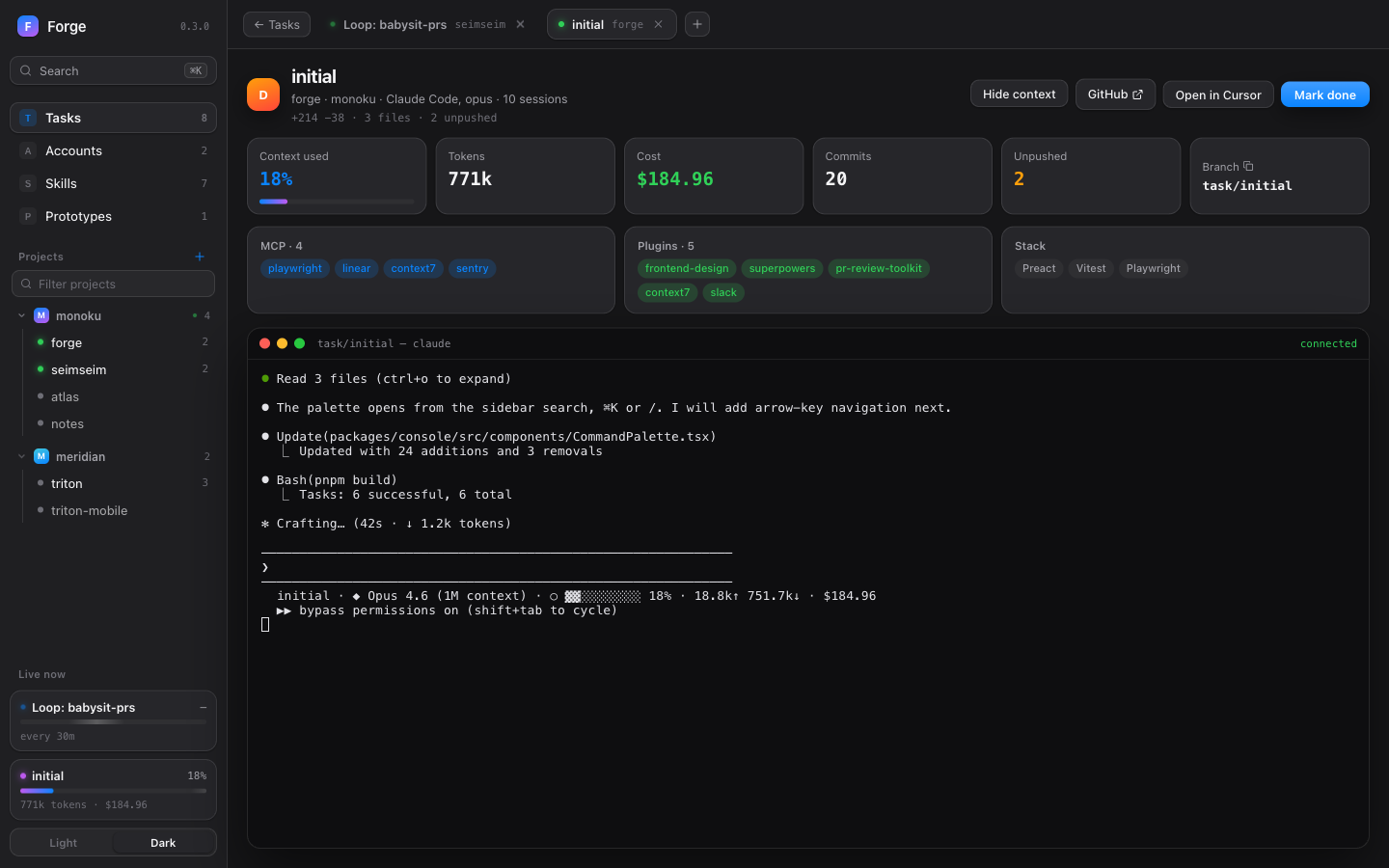
Context used, tokens and cost from its status line, plus commits, unpushed work, the pull request and its checks. Open the worktree in VS Code, Cursor, Windsurf or Zed. Done asks first when closing a task would lose work.
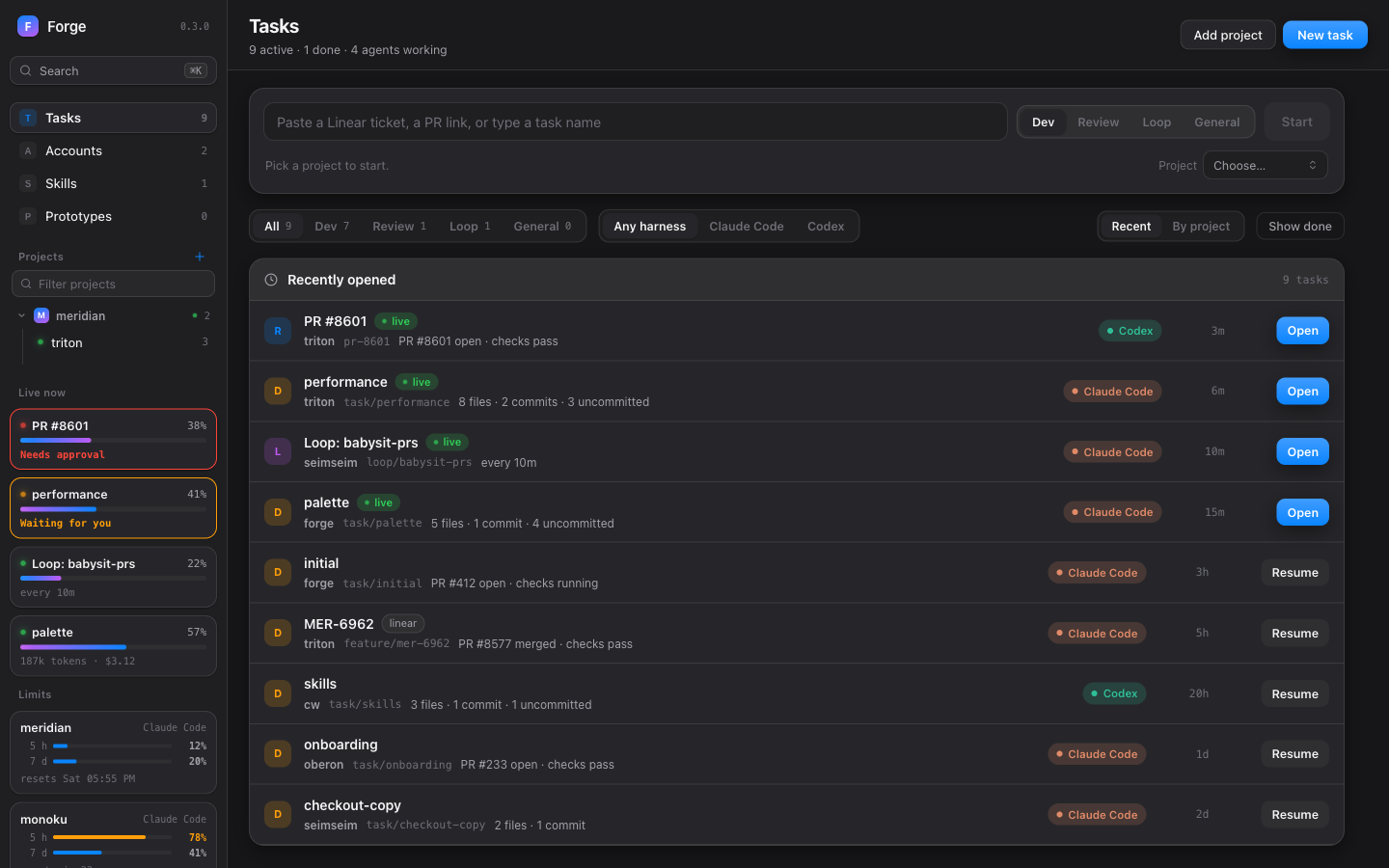
Forge reads each live terminal and tells you whether the agent is working, waiting for you, asking for approval or stopped on an error. Sessions that need you move to the top, the page title counts them, and a browser notification can tell you when you're looking elsewhere.
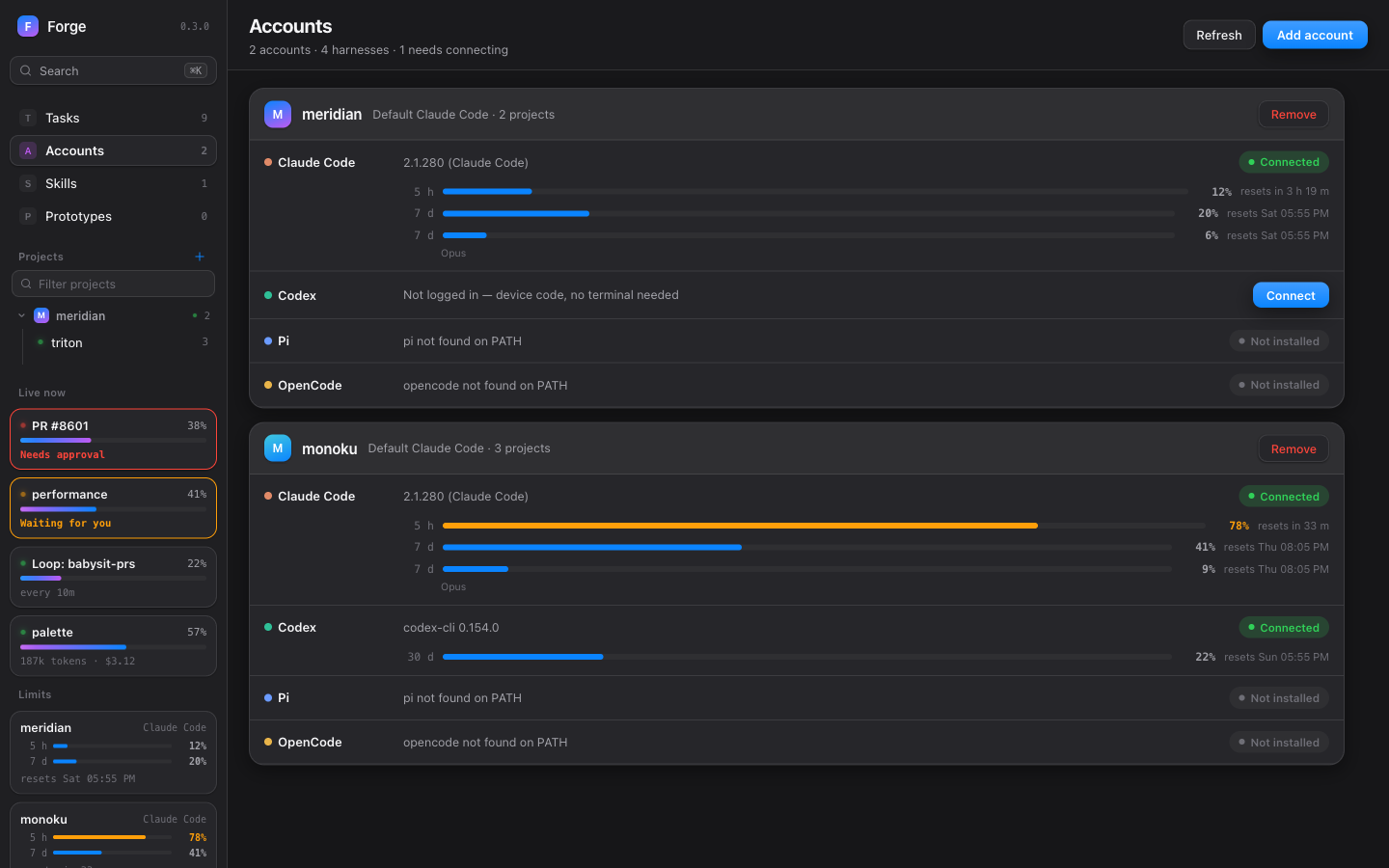
One card per account with each harness's status and one-click Connect. Codex logs in with a device code, no terminal. See each account's usage limits, the 5-hour and weekly windows, and when they reset, before a session runs out.
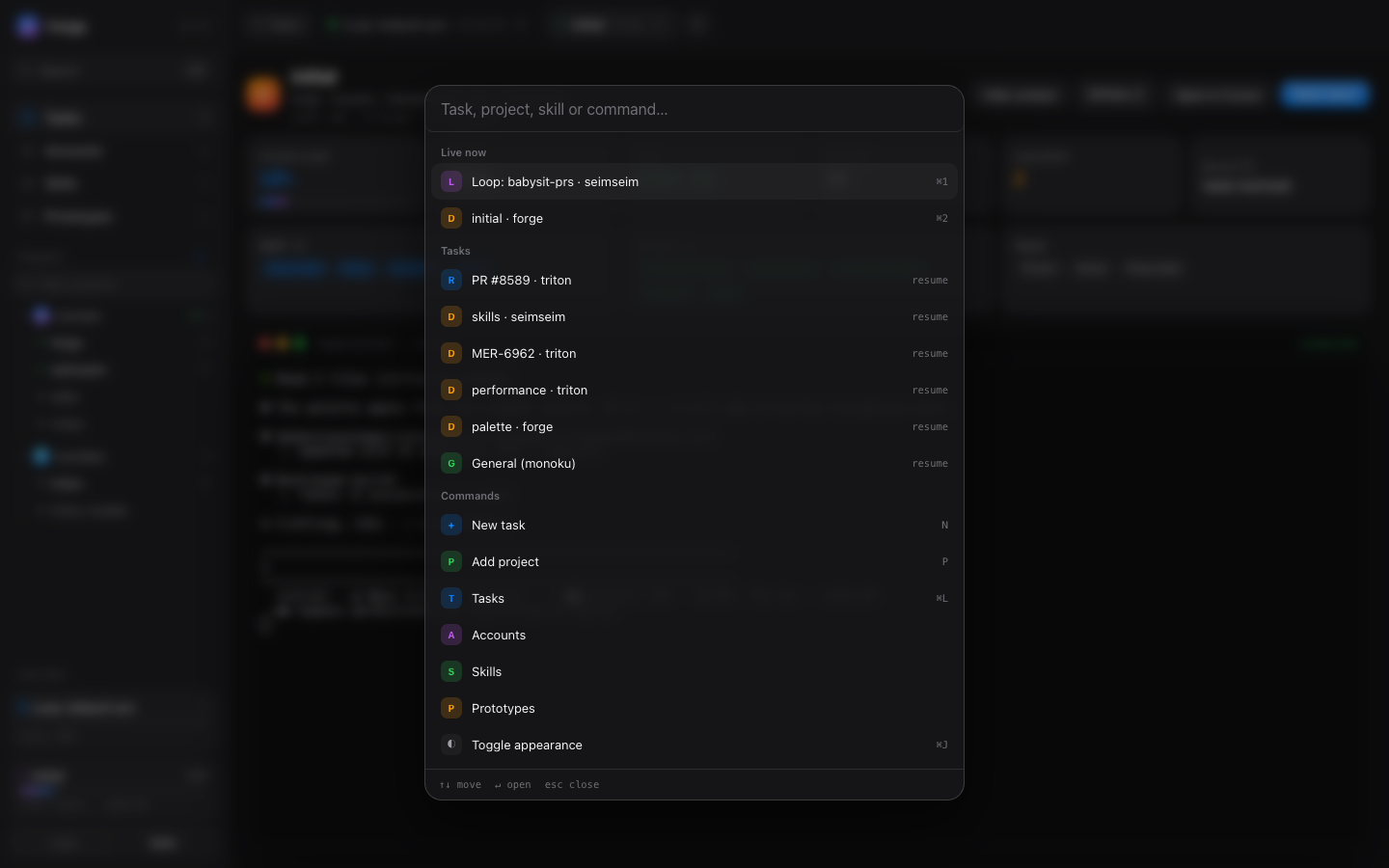
A palette for sessions, tasks, projects and commands.
Keep several agents open; tabs stay connected while you browse.
Browse and edit global, account and project skills, install from skills.sh, and see what your Claude Code plugins bring. Propose a skill and an agent opens the pull request.
Create or pull a Liveframe frame and Forge opens an agent in it. Push it back with one click.
Create, register, move and delete projects from the dashboard.
System fonts, reduced-motion aware, works in narrow windows.
A sidebar card per running agent with its state and context meter; the ones that need you go first.
Forge listens on 127.0.0.1 and only answers requests from your own machine: its API starts agents, logs accounts in and can delete project files. A page on another site can't call it, and neither can another computer on your network.
FORGE_HOST=0.0.0.0 opens it to your network — trusted networks onlyUnderneath runs CW (Coding Workspace), an open-source command line tool that Forge installs for you: it gives every task its own git worktree and starts the agent on the account and harness you picked. You can use it from a terminal too.
Learn about CW →macOS or Linux, with Node 22.13+, Python 3.9+, bash 4+ (brew install bash on macOS), git, and one harness.
npx forge-cw
Sets up what it needs the first time and opens http://localhost:3000. To keep it around: npm i -g forge-cw, then forge.
Open Accounts, add one and connect Claude Code, Codex, Pi or OpenCode. Codex logs in with a device code, no terminal.
Add a repository from the sidebar, or create a new one, and start your first task from the start card.